Prism Mod Colors: recolor the mods you actually read, in PoE 1 & 2
Updated: July 2026
The problem: a wall of unreadable mod text
You slot a map into the device and get eight lines of mods in the same pale blue font. You hover a rare belt and there are six more affixes, all blending together. Path of Exile delivers its most important information as a solid wall of single-tone text, and your eye has nothing to latch onto — not the brutal map mod that will delete your build, not the juicy life roll on that new drop.
The game gives you no built-in way to highlight the mods that matter. So you read every line, in full, on every map, every time. Prism's Mod Colors exists to kill exactly that friction: it recolors the mod text itself, by your rules, so the important stuff reads at a glance.
What Mod Colors is (and why it's not a loot filter)
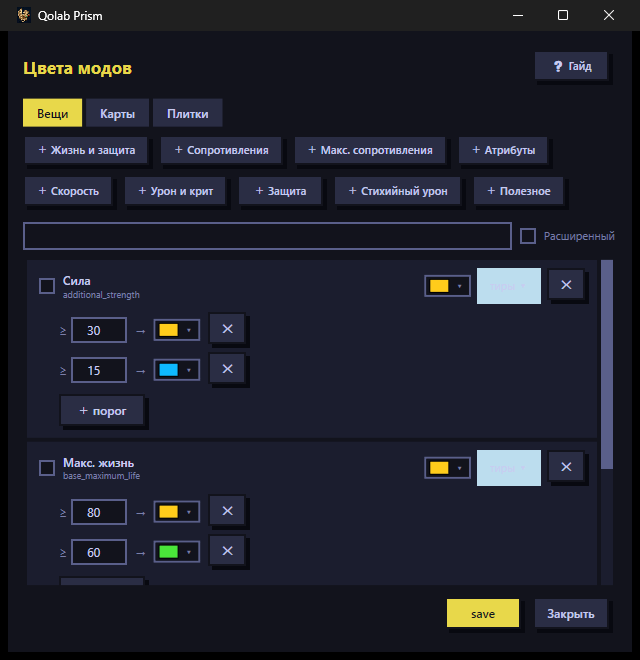
Let's clear up the confusion up front. Mod Colors in Prism highlights the text of modifiers — item affixes, map mods, altar mods, strongbox mods, and PoE2 tablet mods. You write rules like "any line containing reflect turns red," and the game shows that line in red.
This is not socket / chromatic coloring — you still color your item sockets in-game the normal way; Prism has nothing to do with gem slots. It is not a cheat overlay either: Prism does not read process memory, does not inject into the game, and does not automate gameplay. It modifies local client assets only, offline, with the game closed, and keeps a full backup with a one-click restore to vanilla.
And crucially, it is not a loot filter — more on that below.
Color-by-value tiers: Life >= 80 = gold, resistances, move speed
The most powerful piece is color-by-value. A rule reads the number inside a mod and colors the line based on a threshold. The setups most players reach for:
- Life:
+80and above = gold,60–79= green, below = default. Top life rolls jump out the instant you look at a drop. - Resistances: flag the near-max rolls (say
42%+to an element) so you stop re-reading every ring and belt by hand. - Move speed:
30%movement on boots gets its own color — it's one of the highest-value affixes in the game, so make it impossible to miss.
You define the thresholds and colors yourself, tuned to your build and your league. Looting turns from reading text into sorting by color.
Highlight dangerous map mods: reflect, no regen, no leech, extra damage
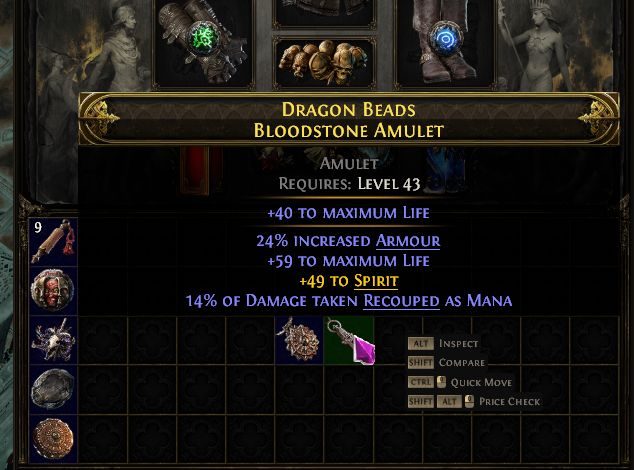
The flip side is painting in red the things that will kill you or stall your progress. The classic set of dangerous map mods worth highlighting:
- No regeneration — breaks regen-based and mana-cost builds.
- Reflect (players take a portion of physical or elemental damage dealt) — often lethal for crit builds.
- Cannot leech life or mana — kills any leech-based sustain.
- Extra damage as an element to players and reduced maximum resistances — a combo that quietly one-shots you.
Write the rule once and those lines glow red on every map. No squinting through eight mods in a hurry; the danger announces itself and you decide whether to reroll or skip the map.
Altar, strongbox and PoE2 tablet mods
Rules aren't limited to item affixes. In Prism you can color:
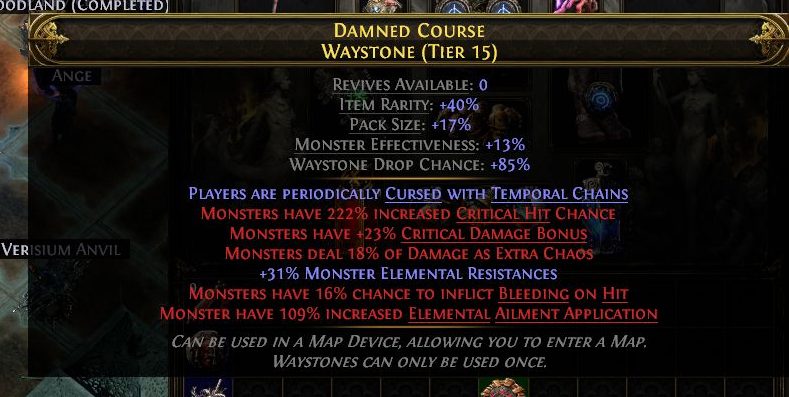
- Altar mods (Eldritch altars and similar) — where you pick on the fly between buffing monsters and taking a reward, color helps you not misread the trade.
- Strongbox mods — instantly tell a fat box from a dangerous one.
- PoE2 Precursor Tablet mods — a PoE2 feature where tablets set the encounter mods on your Atlas. These color nicely by encounter type: General, Breach, Expedition, Ritual, Delirium, Abyss. Full breakdown in the PoE2 tablet mods guide.
One key split: tablets are PoE2 only. PoE1 doesn't have them — but affix, map mod, altar and strongbox coloring works in both games.
Named presets and your own rules
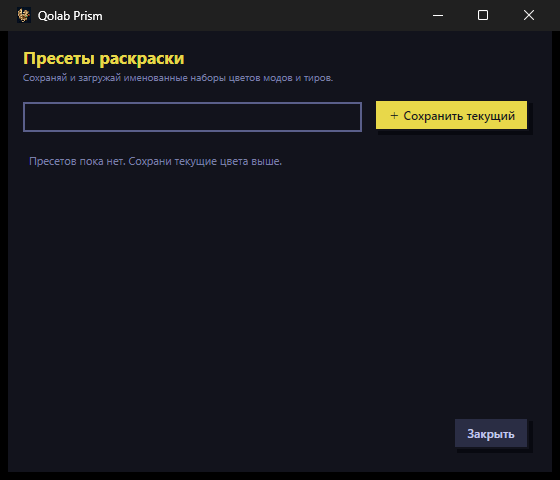
You don't have to configure everything from scratch. Prism ships named presets: a set of rules for a specific task or build that you switch between with one click. Think a "Loot review" preset weighted toward life / res / move speed, and a "Fast map clear" preset focused on dangerous mods.
Your own rules stack on top: a word or a numeric threshold, a color, and a category (affixes / maps / altars / strongboxes / tablets). Change build or league and you just switch presets instead of rewriting everything.
Loot filter vs Mod Colors: drops on the ground vs the mods you read
The common question: "isn't this just a loot filter?" No — they're different layers.
A loot filter colors and sounds out drops on the ground: which items to show, what border color, what alert sound. It does nothing to the mod text once you've hovered an item or a map.
Prism Mod Colors recolors the modifier text itself — the affixes and mod lines you read inside the tooltip: items, map mods, altars, tablets. They don't compete: a loot filter decides what you pick up off the floor, Prism makes readable what you're already holding. Running both together is the natural setup. For setting up the filter itself, see the separate PoE 2 loot filter guide.
How to enable it in Prism
- Download and install Prism (Windows 10/11) with the game closed.
- Open the Mod Colors tab and pick your game (PoE1 or PoE2).
- Take a preset or create a rule: word / value threshold → color → category.
- Hit Apply — Prism edits the local client assets and saves a backup.
- Launch the game. Changes hold until the next game or league update; after a patch you just re-apply. The "Restore to vanilla" button reverts the files any time.
Honest note on safety: GGG's Terms of Service do technically forbid client modification. Prism modifies local client assets only — it does not inject into the process, read or write memory, or interact with servers. What's known is that enforcement has historically targeted bots and memory/automation tools rather than offline cosmetic file edits — that's context, not a guarantee, and the call is yours. More in the FAQ.
Ready to read mods at a glance? Get Prism on the homepage and tune Mod Colors to your build.
How do I color mods in PoE 2?
In Prism's Mod Colors tab you set a rule: a word or numeric threshold → color → category (affixes, maps, altars, tablets). Hit Apply — Prism edits local client files offline, with the game closed, and keeps a backup.
Is mod coloring a loot filter?
No. A loot filter colors drops on the ground. Prism colors the modifier text itself — what you read in the tooltip, on the waystone and tablet. People run both together.
Is mod coloring safe, will I get banned?
Prism only edits local client files offline, reads no memory and automates nothing, and keeps a backup with revert. GGG's rules formally forbid client modification — no guarantees, the call is yours.